Embroidery guide
Machine Embroidery on T-Shirts and Hoodies (Without Puckering)
Embroidery on a t-shirt without puckering: the right stabilizer, hooping, needle and design settings for tees, sweatshirts and hoodies, step by step.
Quick answer: Embroidery on a t-shirt puckers when the knit stretches while it's being stitched. To stop it: back the shirt with a no-show mesh cut-away stabilizer, hoop the fabric flat and unstretched, use a ballpoint needle, and stitch a design made for knits (lighter fill, more pull compensation, letters at least about 6 mm tall). Sweatshirts and hoodies follow the same rules; a plush or brushed face also needs a water-soluble topping.
If you're wondering how to do embroidery on shirts that stretch, start here. Machine embroidery on t-shirts has a reputation for being harder than on woven shirts, and it is, a little. A tee is a knit: rows of interlocking loops that stretch in every direction. Every stitch pulls on those loops. On a stable woven fabric the pull is absorbed; on jersey it gathers the fabric into ripples around the design. That's puckering.
The good news is that puckering is almost always a setup problem, not a skill problem. Get four things right (stabilizer, hooping, needle and the design itself) and a tee stitches as cleanly as a polo. This guide covers all four, then the differences for sweatshirts and hoodies.
What you need
| Item | For t-shirts | For sweatshirts and hoodies |
|---|---|---|
| Stabilizer | No-show mesh cut-away (fusible is easiest) | Medium cut-away |
| Topping | Only on textured knits | Water-soluble topping on fleecy or brushed faces |
| Needle | Ballpoint, 75/11 | Ballpoint, 75/11 (a larger size if your machine manual suggests it for thick fabric) |
| Thread | Polyester or rayon embroidery thread | Same |
| Marking | Water-soluble or air-erase pen, ruler | Same, plus pins or clips to hold bulk away |
| Optional | Temporary spray adhesive | Temporary spray adhesive, sticky (adhesive) stabilizer for floating |
Stabilizer is the backing you hoop under the fabric to support the stitches. Cut-away stays in the garment after you trim the excess; tear-away is torn off after stitching. A topping is a thin film laid on top of the fabric so stitches don't sink into the pile; water-soluble topping rinses away.
Why tees pucker (and why cut-away fixes it)
Three things cause almost every puckered t-shirt:
- The fabric moved while stitching. Loose hooping, or a stabilizer that shifted, lets the knit creep toward the needle.
- The fabric was stretched in the hoop. It looks perfect while hooped, then relaxes when you unhoop it and the design ripples.
- The design is too heavy for jersey. Dense fills pull hard. Designs made for denim or caps often pucker on a thin tee.
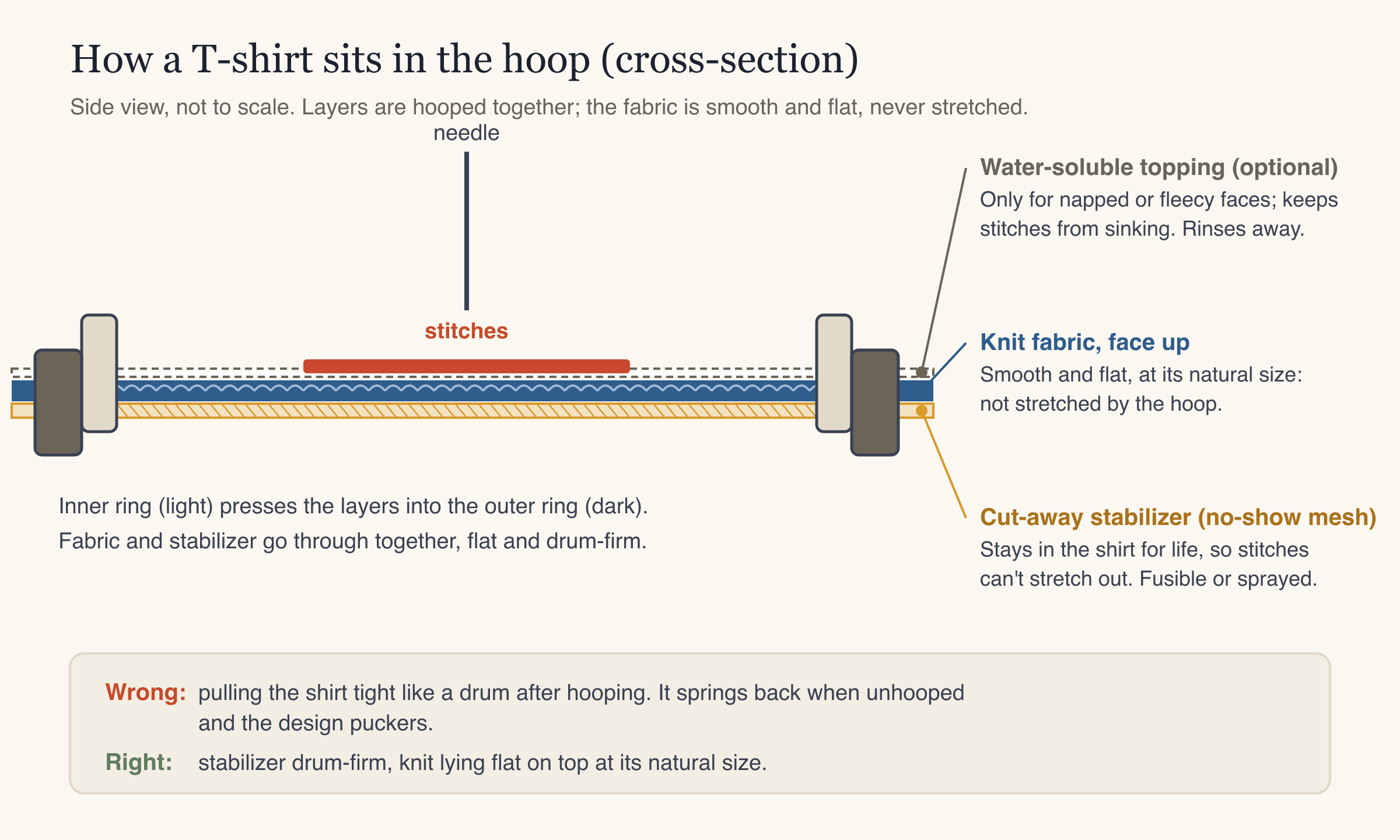
Tear-away stabilizer is the usual culprit in the first case. It supports the stitches while they're sewn, but once it's torn off nothing holds the stitches in shape, and every time the shirt is worn and washed, the knit around the design stretches. Cut-away stays behind and keeps the design stable for the life of the garment. No-show mesh is a soft, thin cut-away that doesn't show through light tees and isn't scratchy against the skin, which is why it's the standard embroidery stabilizer for t-shirts. Our embroidery stabilizer guide covers the other types in detail.
Choose the stabilizer by garment
Not every knit garment behaves the same. A thin jersey tee, a smooth-faced sweatshirt and a fluffy hoodie each need a slightly different setup.
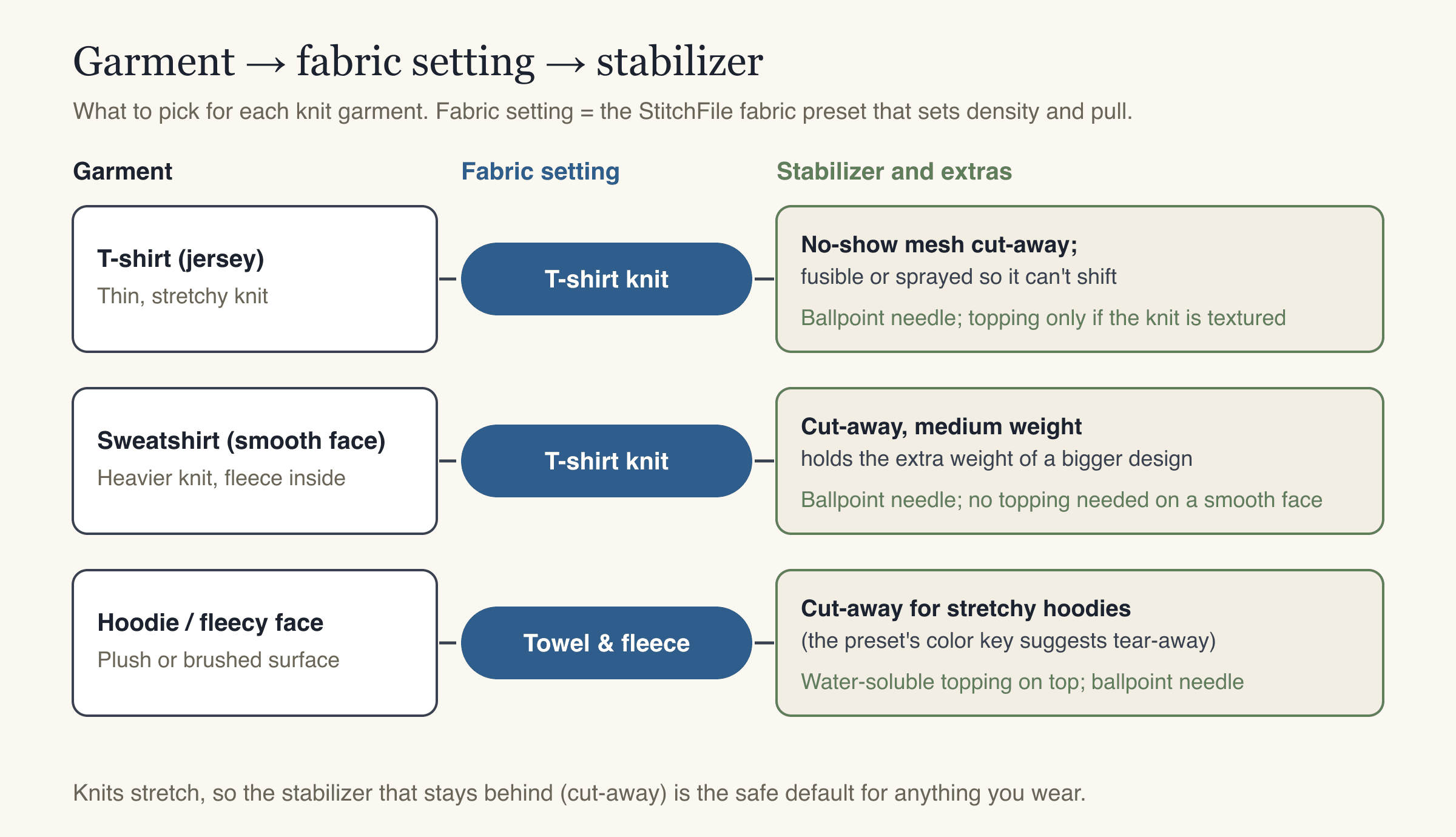
- T-shirts (jersey): no-show mesh cut-away. A fusible version, ironed to the inside of the shirt, stops the two layers from sliding apart, which is the main cause of gaps between colors and outlines that don't line up.
- Sweatshirts with a smooth face: a medium cut-away. Sweatshirt fleece is a heavier knit, so it can hold a bigger design, but it still stretches.
- Hoodies and garments with a plush or brushed face: cut-away underneath plus water-soluble topping on top, so fill stitches don't sink into the pile and small lettering stays readable.
Embroidery on t-shirts: step by step
1. Pre-wash and press the shirt
Cotton tees can shrink in the first wash. If the shirt shrinks after it's embroidered, the fabric around the design gathers. Wash and dry the shirt the way it will be washed in normal use, then press it flat.
2. Get the design right for knit
Before you hoop anything, make sure the file suits a t-shirt:
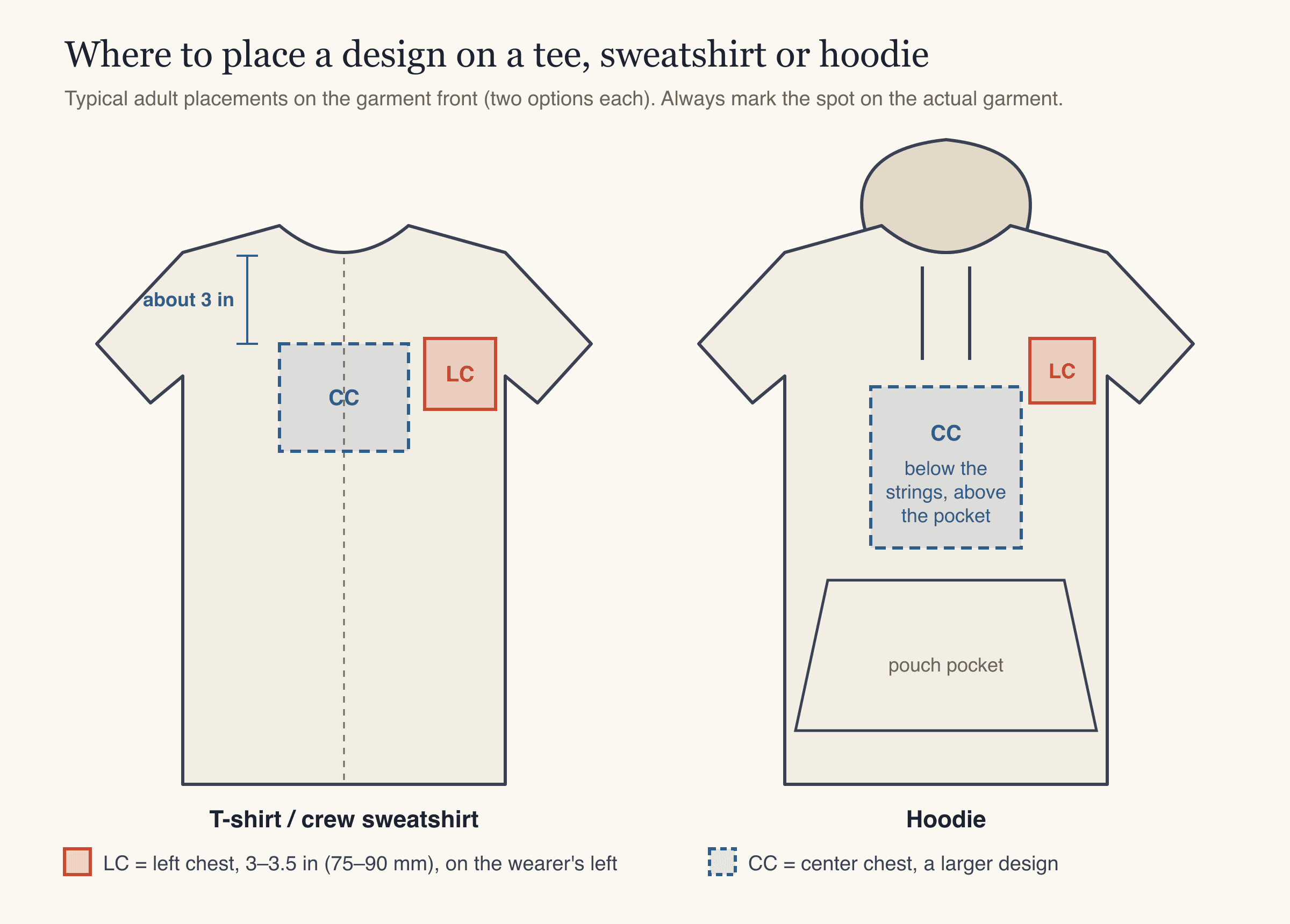
- Size: a left-chest design is usually 75–90 mm (3–3.5 in) on its longest side. A center-chest design can be larger, but on a thin tee a big, solid block of fill is heavy and stiff. Our logo placement and size guide has sizes for every position.
- Density: knits need slightly lighter fill, a good underlay (a foundation of stitches sewn first to anchor the fabric) and more pull compensation, which means making shapes a little wider so they don't shrink inward as the thread pulls.
- Lettering: letters should be at least about 6 mm tall on t-shirt knit. Smaller text sinks into the loops and becomes hard to read. See embroidery lettering and fonts for more.
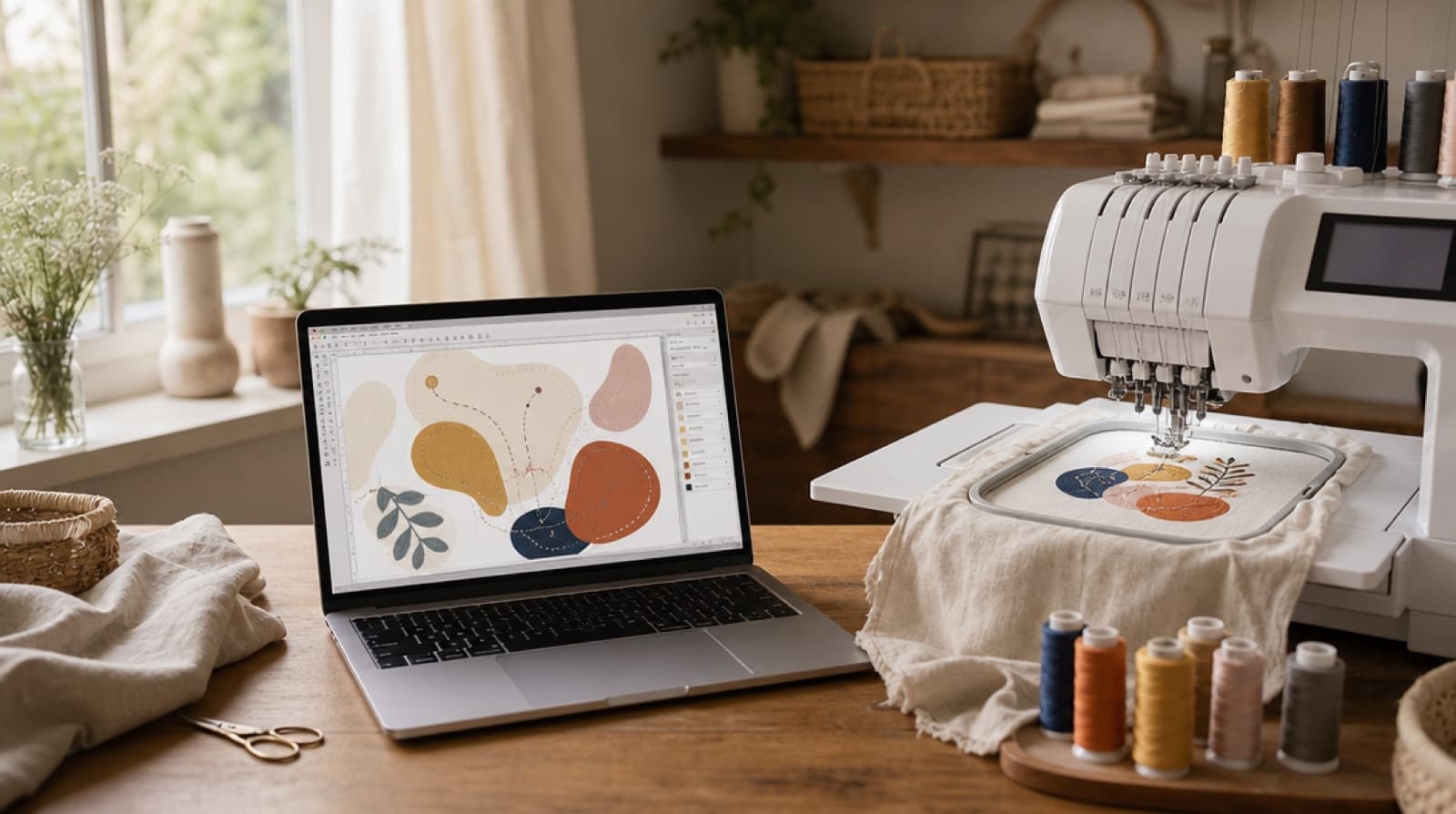
If you're turning your own logo or artwork into a stitch file, this is the step where StitchFile helps. Upload an SVG, PNG or JPG, pick the T-shirt knit fabric and a size (the Left chest preset is 90 mm), and in about 20 seconds you get a free stitch preview. The knit setting adjusts stitch density and pull compensation for jersey, the preview flags lettering that's too small and tells you a size that would work, and the color key lists the stabilizer to use. Every download includes PES, DST, JEF, EXP and VP3, so it works whatever machine you have.
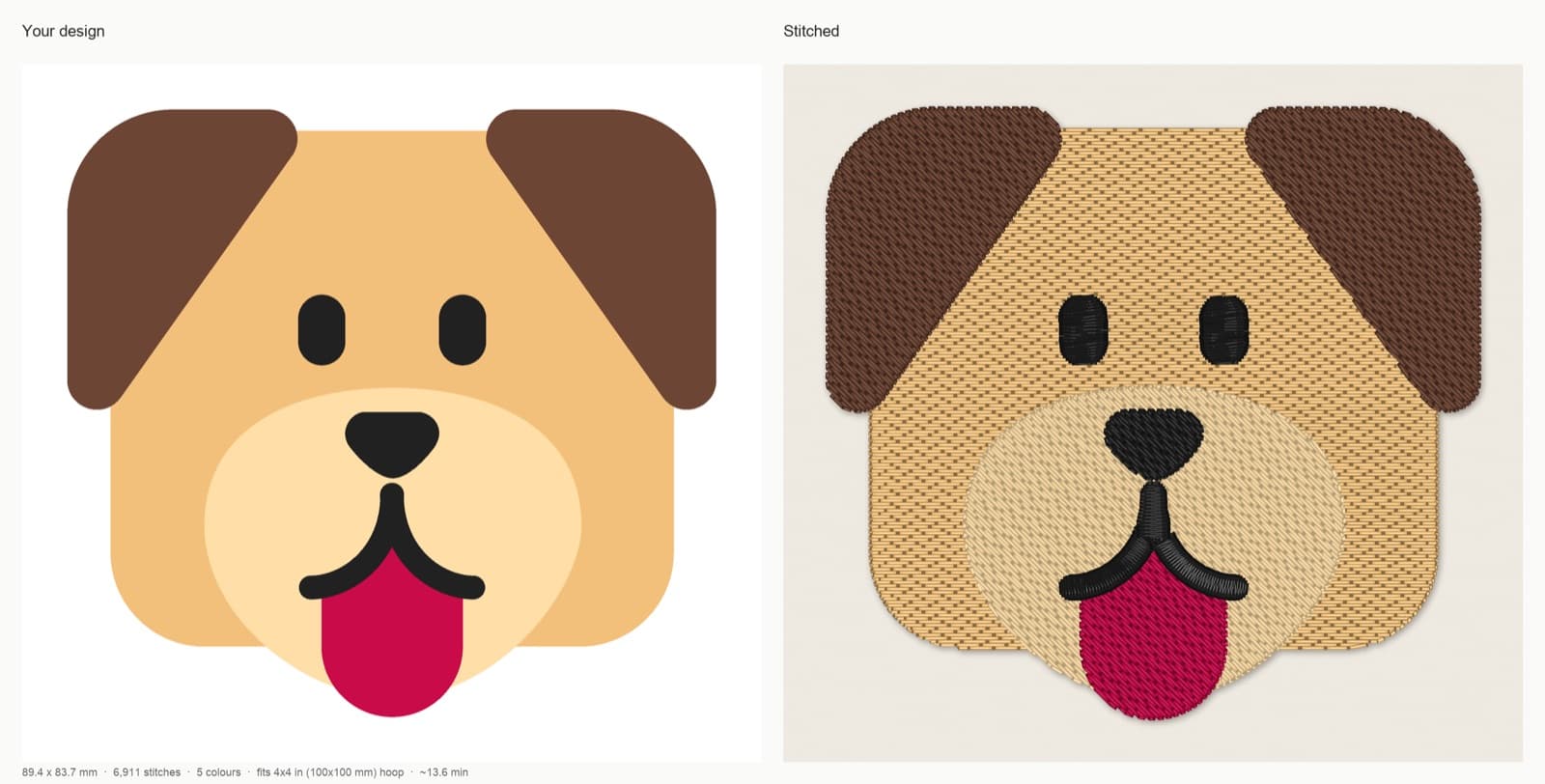
StitchFile stitch preview with the T-shirt knit setting at 90 mm: 89.4 × 83.7 mm, 6,911 stitches, 5 thread colors, 17 trims, about 13.6 minutes at 700 stitches per minute, fits a 4x4 in hoop. The color key recommends cut-away (no-show mesh) stabilizer.
Dog artwork: Microsoft Fluent Emoji, copyright (c) Microsoft Corporation, MIT License. Stitch preview generated by StitchFile from the artwork.
3. Mark the placement
Put the shirt on a flat surface, or better, on the person or a dress form. Mark the center of the design and a vertical line with a water-soluble or air-erase pen. For a left chest, the design sits on the wearer's left, roughly halfway between the center front and the armhole. For a center-chest design on an adult tee, the top of the design usually sits about 3 in below the neckline.
4. Back the shirt with stabilizer
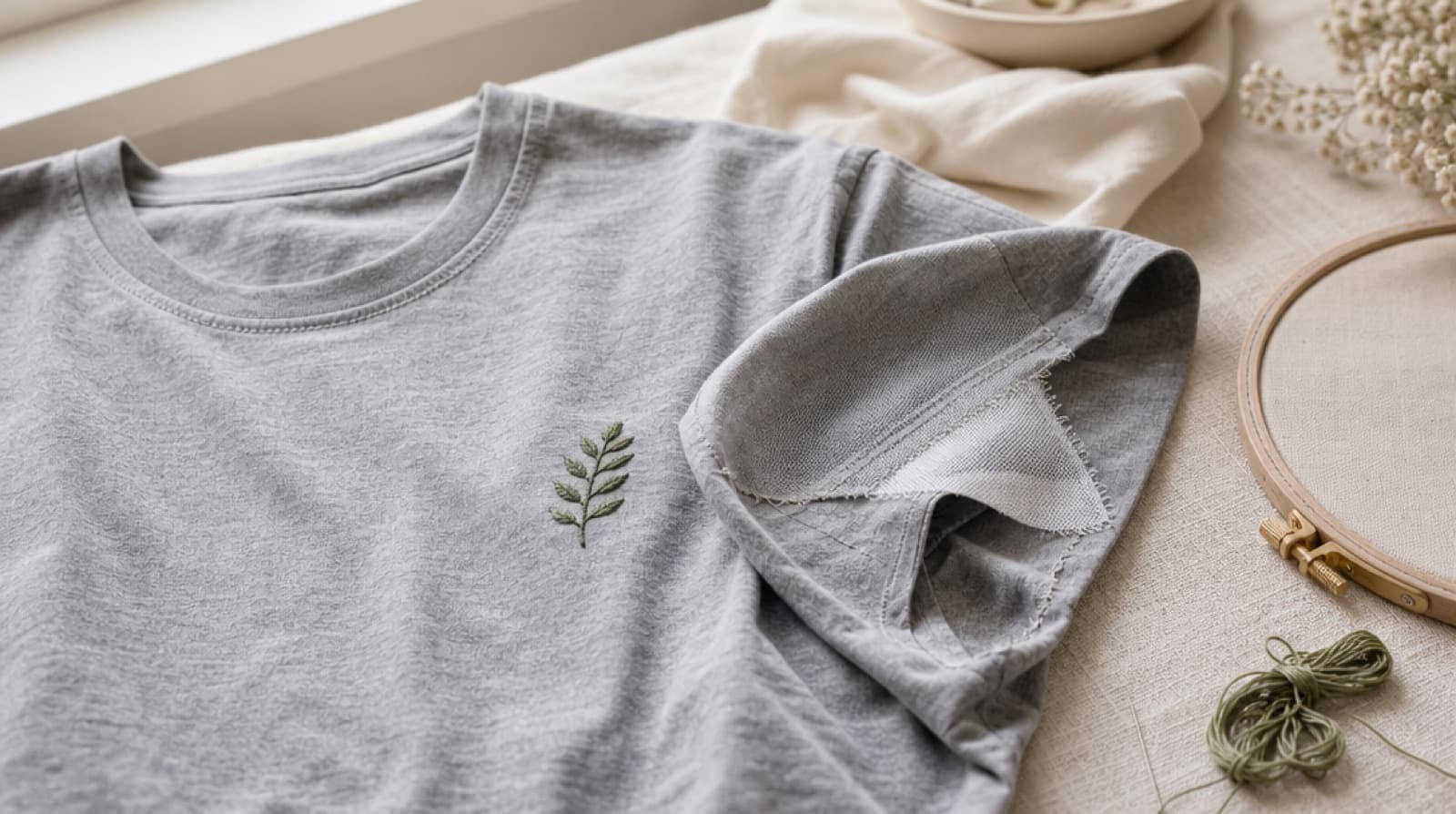
Turn the shirt inside out. Cut a piece of no-show mesh at least 1 in larger than your hoop on every side. Fuse it behind the marked area (follow the stabilizer's iron instructions), or use a light mist of temporary spray adhesive on the stabilizer. Turn the shirt right side out.
5. Hoop it flat, not tight
Pick the smallest hoop that fits the design: less fabric between the rings means less flex. (Not sure which one that is? See the embroidery hoop size chart.)
- Loosen the outer ring screw so the inner ring drops in with light pressure.
- Lay the outer ring on a flat table, place the shirt and stabilizer over it with your marks centered, and press the inner ring in.
- Smooth the fabric gently from the center out. It should be flat and wrinkle-free at its natural size.
- Snug up the screw. Don't pull on the fabric after the ring is in. If the knit grain lines look distorted or the fabric is stretched like a drum skin, re-hoop.
The stabilizer should feel firm. The fabric should feel smooth but relaxed. That difference is the whole trick.
6. Keep the rest of the shirt out of the way
This step saves more shirts than any other. Attach the hoop, then fold or roll the back of the shirt and the sleeves away from the stitching area and clip them clear. Check underneath the hoop by running your hand under the needle area: only one layer of shirt (plus stabilizer) should be there. Stitching through the back of a tee is the most common way to ruin one.
7. Stitch with a ballpoint needle
Put in a fresh ballpoint needle (75/11 is common). A ballpoint pushes between the knit loops instead of piercing them, which helps prevent small holes and runs. If your machine lets you, slowing it down a little helps on thin jersey. Stitch the colors in the order of the color key.
8. Trim and finish
Unhoop, then trim the cut-away from the inside, leaving about 1/4 in around the design and rounding the corners so there are no sharp points against the skin. Remove pen marks as the pen's instructions say. If the hoop left a ring mark, steam it from a short distance; don't press hard on the stitches.
How to embroider a sweatshirt
A crew-neck sweatshirt is easier than a tee: the fabric is thicker and more stable. The steps are the same, with a few changes:
- Stabilizer: medium cut-away, fused or sprayed. Thin no-show mesh can be too light under a large design.
- Fabric setting: if the outside is smooth (most sweatshirts), treat it as a knit. If the outside is fleecy, add water-soluble topping.
- Bulk: the sweatshirt is heavy, so support its weight while it stitches. If it hangs off the table, its weight drags the hoop and can shift the design.
- Hoop burn: thick fleece is prone to ring marks. If hooping leaves marks, float it instead (see below).
- Size: sweatshirts can take a larger center-chest design than a thin tee without going stiff, but keep a left-chest logo in the usual 75–90 mm range.
How to embroider a hoodie
Hoodies add three obstacles: the hood, the drawstrings and the front pocket.
- Plan the placement around the strings and pocket. A center-chest design goes below where the drawstrings end and above the top of the pouch pocket. Measure that space before you choose the design size; it is often smaller than it looks. A left-chest design avoids both.
- Remove or tie back the drawstrings so they can't fall under the needle.
- Pick the fabric setting by the surface. A smooth knit face stitches like a sweatshirt. A brushed or plush face needs water-soluble topping; in StitchFile that's the Towel & fleece setting, made for fluffy surfaces.
- Use cut-away underneath. The Towel & fleece setting's color key suggests tear-away plus topping, which suits stable fleece. For a hoodie that stretches, cut-away is the safer choice.
- Float if the hoodie is too thick to hoop. Hoop a sticky (adhesive) stabilizer with the paper side up, score and peel the paper, then press the hoodie onto it. A basting stitch around the design area, which many machines can add, holds it even better.
- Keep the hood and the back clear of the needle, the same as with a tee.
For zip hoodies, keep the design away from the zipper. Stitching over or right next to it can break needles.
Puckering and other problems: what to check
| What you see | Likely cause | Fix |
|---|---|---|
| Ripples around the design | Fabric stretched in the hoop, or tear-away on a knit | Re-hoop flat and unstretched; use cut-away |
| Gaps between colors, outlines off | Fabric shifted while stitching | Fusible or sprayed stabilizer; tighter hooping; floating with basting |
| Small holes or runs | Sharp or worn needle | New ballpoint needle |
| Fabric showing between fill rows | Light fill on knit, or light thread on dark fabric | Slightly fuller fill (on the StitchFile website: Edit your design → Density → Fuller) |
| Text unreadable | Letters under about 6 mm on knit | Bigger size, satin lettering, or drop the small text |
| Stitches sink into a hoodie | Plush surface | Water-soluble topping; Towel & fleece setting |
| Design stiff like a board | Design too dense or too big for the garment | Smaller size, less fill, a design made for knit |
More fixes are in our machine embroidery troubleshooting guide.
Common mistakes
- Using tear-away on a t-shirt. It looks fine on day one and puckers after a few washes.
- Stretching the shirt in the hoop. The hoop holds the stretch; the shirt lets go when you unhoop it.
- Stitching through the back of the shirt. Always check under the hoop before you press start.
- Using a design made for caps or denim. Heavy fills and tight density for stiff fabric pull a thin tee out of shape. Make or pick a file set up for knit.
- Tiny lettering. Anything much under 6 mm on jersey sinks into the loops.
- Skipping a test stitch. Test on an old tee of similar weight with the same stabilizer before stitching the real one.
FAQ
What stabilizer is best for embroidery on t-shirts? A no-show mesh cut-away. It's soft and thin enough for light tees and stays in the shirt after stitching, so the design keeps its shape through wear and washing. A fusible version stops the shirt and stabilizer from sliding apart.
Can I use tear-away stabilizer on a t-shirt? It isn't recommended. Tear-away supports the stitches only while they're being sewn; on a stretchy knit, the design loses its support once the stabilizer is removed and tends to pucker or distort after washing. Cut-away is the standard choice for knits.
What needle should I use for machine embroidery on t-shirts? A ballpoint embroidery needle, commonly size 75/11. The rounded tip slips between the knit loops instead of cutting them, which helps prevent holes and runs.
How big should a t-shirt embroidery design be? A left-chest logo is usually 75–90 mm (3–3.5 in) on its longest side. Center-chest designs can be bigger, but on a thin tee keep heavy filled areas modest so the design doesn't go stiff.
How do I embroider a hoodie without stitching the pocket shut? Place the design above the pouch pocket and below the drawstrings, measure that space before you size the design, and check under the hoop before stitching. Only one layer of hoodie should be under the needle.
How do I wash an embroidered t-shirt? Turn it inside out, wash on a gentle cycle and avoid high dryer heat. If you iron it, iron on the reverse side or through a cloth, not directly on the stitches.
Getting a t-shirt-ready file
Most puckering is solved by stabilizer and hooping, but a file made for the wrong fabric will fight you every time. If you're starting from a logo or your own artwork, upload it to StitchFile, choose the T-shirt knit fabric and your size, and check the free stitch preview before you buy. You'll see the stitch count, the sew time, the smallest hoop it fits and any lettering that's too small, and the download includes all five machine formats. For more on how artwork becomes stitches, read how to digitize a logo for embroidery.